How to Use OpenClaw for Skydiving Dropzone Operations
TL;DR
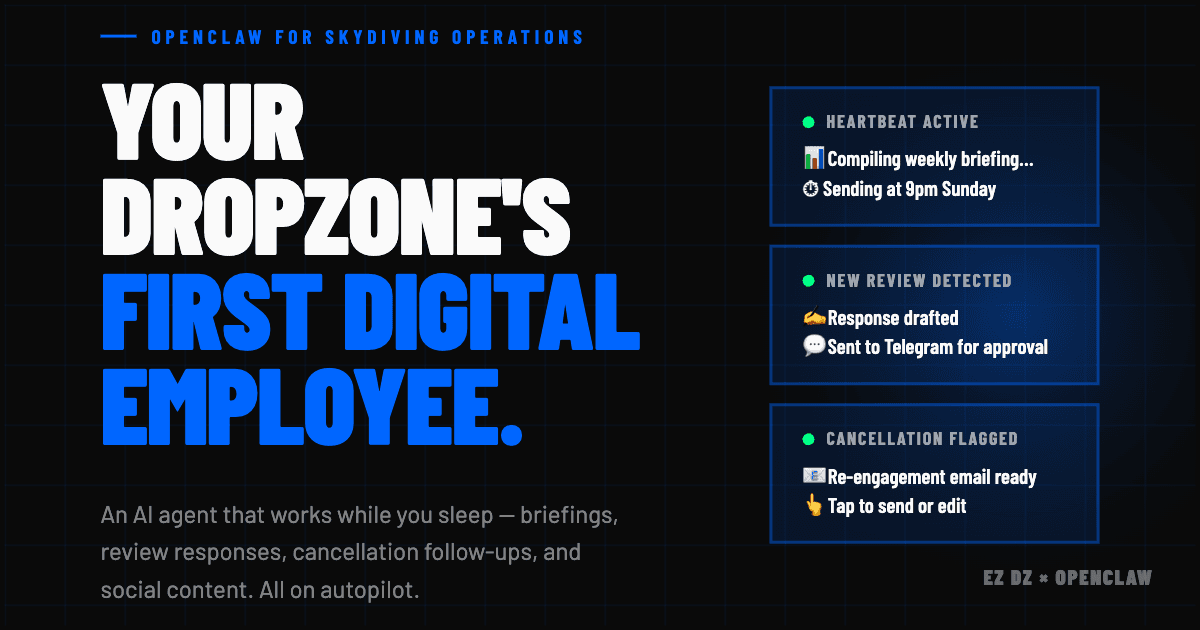
OpenClaw is a free, open-source AI agent that runs 24/7 on any spare computer and works with AI subscriptions you likely already have, meaning the cost to get started may be zero. It requires configuration to do anything, but that is also the beauty of it: you decide exactly what it does, when, and how. Once set up, it can handle social media, review responses, weather alerts, and more. Connect it to EZ DZ through our native MCP server and it gains live access to your loads, revenue, bookings, and waitlist, making it the most capable operational tool in the sport. Tell OpenClaw about your dropzone and ask what it can help with. It will walk you through the rest.
Honestly, I had planned to save this post for later this month. But I kept getting asked about OpenClaw this week, and I got antsy. So here we are, April 13th, and I am writing this while I probably should be doing something else.
The question I keep getting is some version of: I keep hearing about AI agents but what would I actually do with one at my dropzone? That is exactly the right question. Most of the content out there about AI agents is aimed at tech startups or e-commerce brands. Nobody has written the dropzone version yet. So here it is.
What Is OpenClaw?
OpenClaw is a free, open-source AI agent framework. It is not a subscription service. It is not a SaaS product. You install it once on any computer you have sitting around, tell it what you want it to do, and it runs. The software itself costs nothing. And here is the part most people miss: if you already pay for Claude, ChatGPT, or another AI subscription, you can connect OpenClaw directly to that. For a lot of people, the total additional cost to get this running is zero.
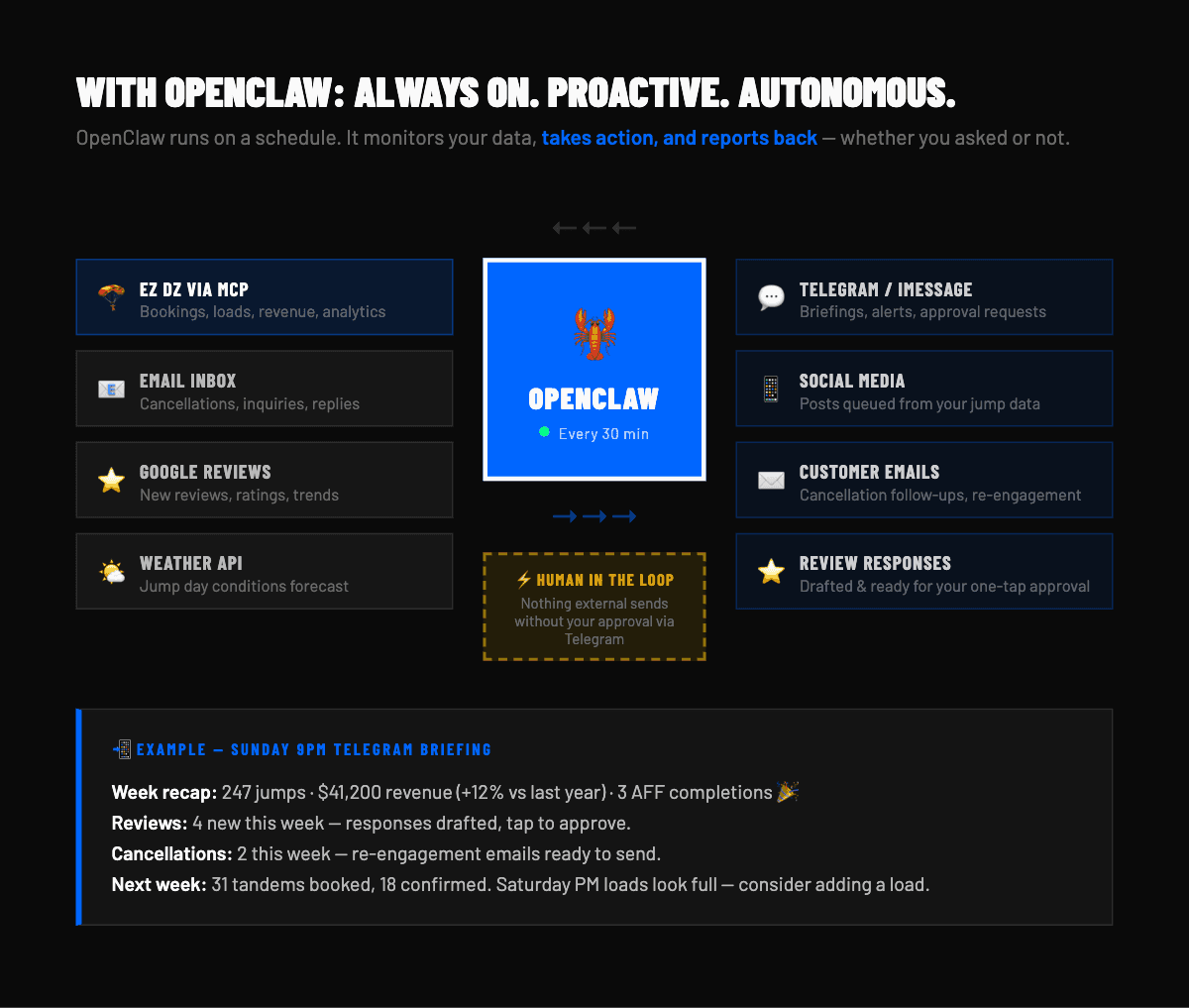
Three things make it work. First, the heartbeat: every 30 minutes, OpenClaw wakes up, checks what is on its task list, and acts. Second, cron jobs: for tasks that need more specific timing, you can set exact schedules. You do not want a social media post queued every 30 minutes, for example. You want that to run once a day at a time you choose. Cron jobs handle that. Think of the heartbeat as the general pulse and cron jobs as the scheduled appointments. Third, messaging integration: when OpenClaw needs your input, it contacts you through Telegram, iMessage, or whichever channel you prefer. When you reply with an approval or a quick instruction, it acts. Nothing goes out without you saying so.
What You Can Start Doing Today
Before we even get to the EZ DZ connection, here is what OpenClaw can be configured to handle at your dropzone using tools you already have: Gmail, Google Business Profile, a web browser, and your social accounts.
- **Social media and community presence:** OpenClaw can draft educational posts for your Facebook DZO groups, queue Instagram content, and engage authentically in active community threads. You set the schedule via cron job, approve the drafts through your preferred messaging app, and it posts. One piece of content per day, rotating channels, sounding like a founder sharing a real insight rather than a bot dropping links.
- **Review monitoring and response drafts:** OpenClaw monitors your Google Business Profile for new reviews, drafts a response in your voice, and sends you the draft for approval. The whole review cycle takes under 30 seconds of your time, and responses go live within hours of a review being posted instead of weeks later when you finally remember to check.
- **Weather and ops alerts:** Connect OpenClaw to a weather source and tell it to compare the forecast against your booking volume for the upcoming weekend. If conditions are turning bad on a heavily booked day, you get an alert before you have to scramble. The same logic works for morning go or no-go decisions when you have a full manifest and marginal weather.
- **Competitor monitoring:** OpenClaw can visit nearby dropzone websites on a schedule, check their pricing pages, and flag you when something changes. Knowing when a competitor adjusts their prices or launches a new package takes five seconds of your time instead of a manual check you probably never get around to.
You can run all of this without EZ DZ. OpenClaw is genuinely valuable on its own, and for a lot of DZOs, starting with the social and review workflows alone will save hours every week. But there is a level above this, and it requires something no other skydiving software currently offers.
The EZ DZ MCP Server: Where It Gets Powerful
MCP stands for Model Context Protocol. Plain English version: it is a secure connection that lets an AI agent read and interact with live software data. Not an export from last Tuesday. Not a screenshot of a dashboard. Live, structured data that the agent can query, reason about, and act on in real time.
EZ DZ built a native MCP server specifically for this purpose. That means OpenClaw can connect directly to your EZ DZ account and work with your live operation. No manual data pulls. No third-party integration workarounds. A direct, structured connection between the agent and your actual platform.
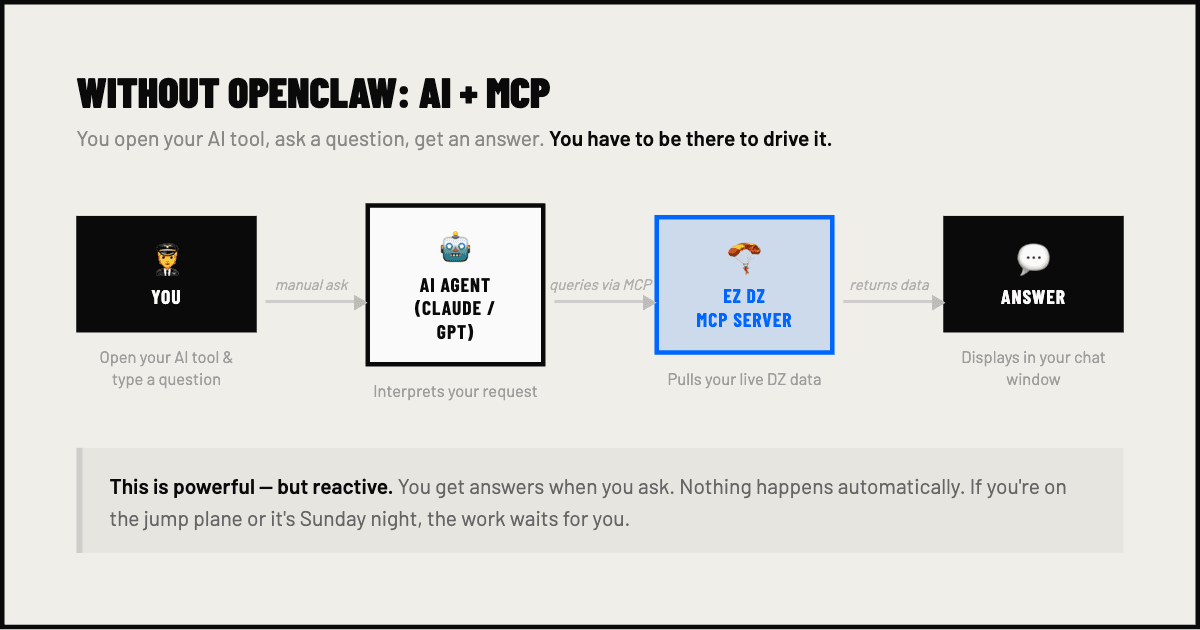
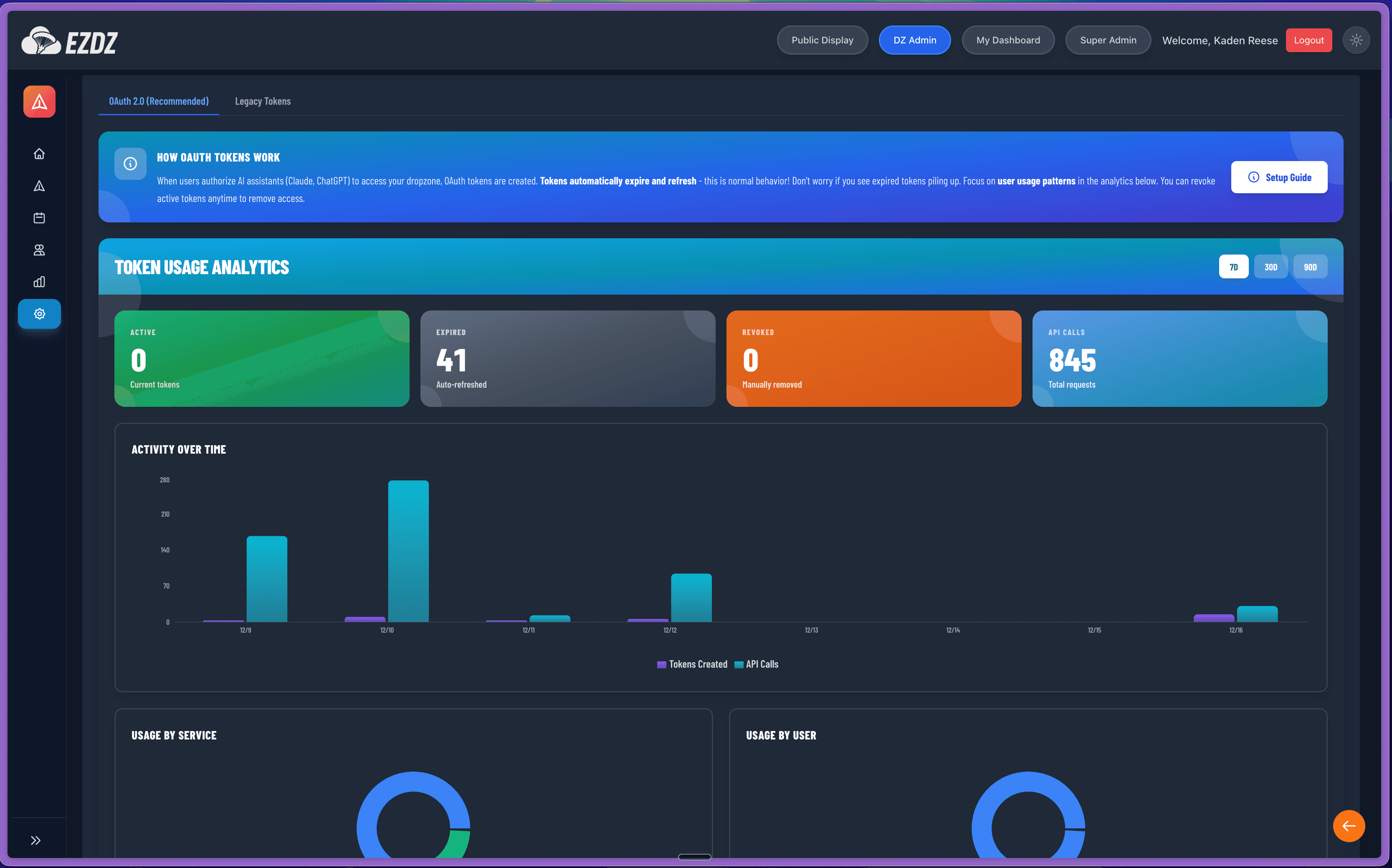
No other skydiving software gives an AI agent this level of access. Other platforms offer data exports. Some have APIs built for developers. But a native MCP server designed specifically for AI agent integration, with live data and the ability to take action, is something EZ DZ built from the ground up. When OpenClaw connects to EZ DZ, it is not working from yesterday. It is working from right now.
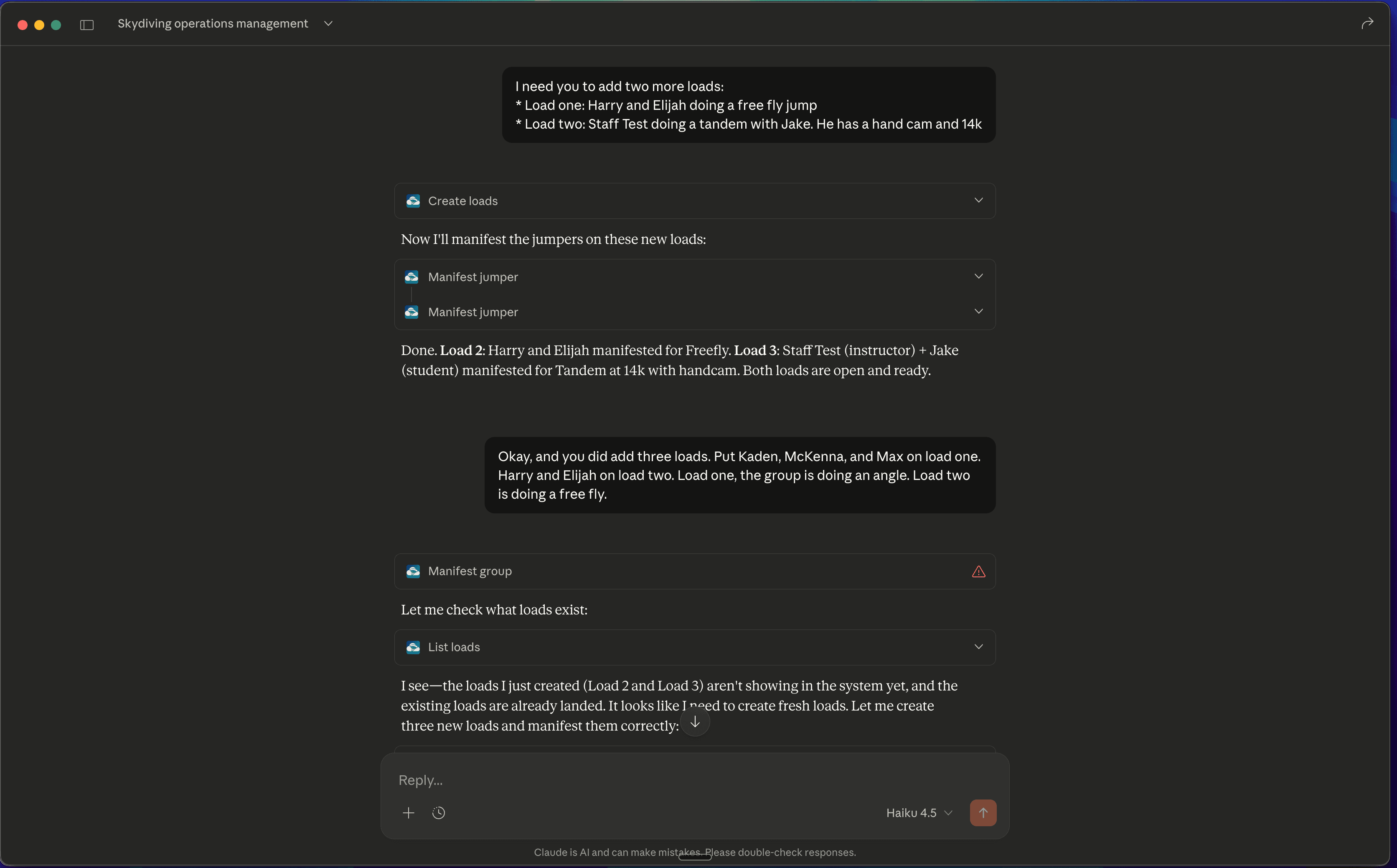
What Unlocks When EZ DZ Is Connected
Once OpenClaw has a live connection to your EZ DZ data, the scope of what it can handle changes significantly. Here are the three that DZO owners get most excited about.
The Sunday Night Briefing
Every Sunday at a time you set via cron job, OpenClaw pulls your week's data live from EZ DZ and sends you a full operational summary. Loads completed, revenue collected, new reviews, abandoned bookings still in the funnel, upcoming reservations for next weekend, and anything that needs your attention before Monday. You are not building a spreadsheet. You are not logging into three dashboards. It is already in your messages before the week starts.
I learned in real estate that the operators who consistently outperformed everyone else started Monday with a complete picture of where they stood, not a guess. The Sunday briefing is that picture, automated.
Load Management and Waitlist Automation
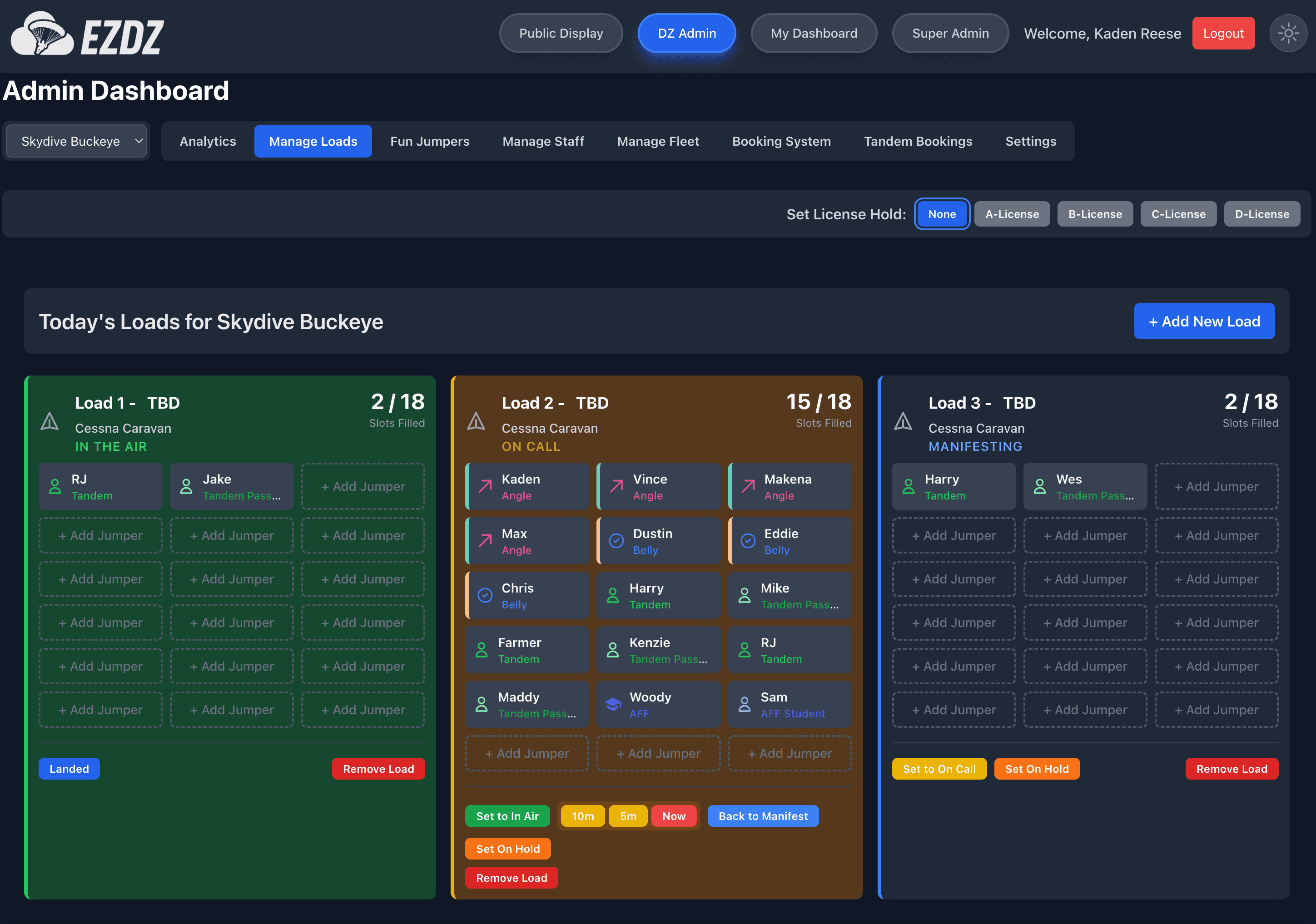
This is where it starts to feel less like a tool and more like a team member. At every heartbeat, OpenClaw can check your live load status from EZ DZ: how many slots are open, when the load calls, how many jumpers are sitting on the waitlist, and what conditions look like.
Concrete scenario: it is Saturday at 11am, conditions are clear, and Load 4 just posted with 5 open slots. Your EZ DZ waitlist has 8 fun jumpers ready to go. OpenClaw sends you a message: Load 4 has 5 open slots, waitlist has 8 ready, want me to start filling? You reply yes. Before you have walked back to the manifest desk, the first 5 are slotted, notified, and confirmed. No PA announcement. No manual back-and-forth.
You can also set conditions for it to act automatically: if it is after 10am, skies are active, and there are open slots within 45 minutes, pull from the waitlist without asking. OpenClaw keeps a running waitlist in EZ DZ, checks it on every heartbeat, and fills loads the way a seasoned manifest staff member would. The compound value of this over a full season is significant.
Booking Pipeline Monitoring
Beyond the manifest, OpenClaw can watch your booking pipeline with the same attention. Abandoned bookings that never completed payment, upcoming reservations still missing a waiver, groups where one person paid and the rest did not: all of this is visible through EZ DZ live data, and OpenClaw flags each situation as it appears rather than waiting for you to notice during a manual check you may or may not get to.
If you want to go deeper on how EZ DZ tracks your booking pipeline and revenue in real time, the analytics feature overview covers how live dashboards work across your full operation.
Just Tell It About Your Business
Here is the part that trips people up before they even start: the terminology. MCP servers, cron jobs, subagent spawning. It sounds like a computer science course. I get it.
But you do not need to understand any of that to get value from OpenClaw. The way to start is to open a conversation with it, describe your dropzone, and explain what headaches you deal with every week. What takes too long. What falls through the cracks. What you wish someone else was handling. Ask it what it can help with. Tell it about your tools, your setup, your goals. OpenClaw will help you figure out 90% of what to configure and how, based on your specific situation.
The dropzone owners who get the most out of this will not be the most technical ones. They will be the ones who are specific about their problems. Before long, you will have something that genuinely feels like a manifest supervisor, a social media manager, and an ops analyst, all running on a spare MacBook in the back office while you are in the air.
Start with one thing. Maybe it is the review response workflow because you know you are slow on that. Maybe it is the social posting because you have been meaning to stay active in the DZO Facebook groups for six months and never get to it. Pick one, get it running, and add from there. The compounding effect is real, and it moves faster than you think.
Ready to connect OpenClaw to your live operation?
EZ DZ is the only skydiving platform with a native MCP server built for AI agent integration. Get started with EZ DZ and have the data layer ready before you configure OpenClaw, or reach out if you want to talk through which automation makes sense to start with at your specific operation. Either way, start today. It is less intimidating than it looks, and it compounds fast.